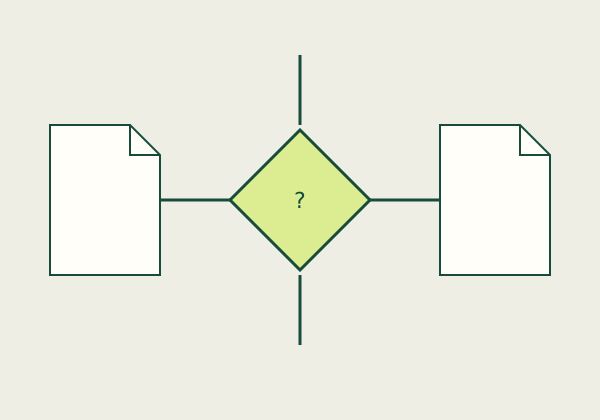
Choose merge when you need several documents in one ordered PDF, compress when the existing PDF is too large, and convert when you need a different file format. These are different operations. Before selecting a service, write down your required output, the recipient's size limit, and whether the document contains sensitive information. That short specification prevents paying for a feature that does not solve your problem.
Make the output requirement explicit
A request to "fix this PDF" leaves several questions unanswered. Does the recipient want one attachment or separate files? Must the text remain searchable? Are editable form fields needed? Does the upload system ask for US Letter pages, a particular file size, or a naming convention? Use the receiving organization's actual instructions; an example on this site is not a substitute for those instructions.
For an illustrative application packet, suppose you have a two-page letter, three scanned receipts, and a one-page cover sheet. Your immediate requirement is six pages in the requested sequence. Converting the letter to an image merely to combine it adds a separate transformation and may make text less useful. Export the letter from its authoring application if possible, convert the receipts only as needed, then assemble copies with a merger that supports your documents.
Compare capabilities rather than a feature count
| Need | Operation to seek | Result to inspect |
|---|---|---|
| --- | --- | --- |
| One attachment from several PDFs | Merge or combine | Page order and completeness |
| A smaller existing scan | Image optimization | Small print and stamps |
| A PDF from photographs | Image-to-PDF conversion | Rotation, margins, and readability |
| Editable text from a scan | OCR plus suitable export | Recognition errors and layout |
| Selected pages only | Page extraction | Correct ranges and exclusions |
| A plain-text PDF | Text-to-PDF generation | Character support and pagination |
Folio Bench currently provides image-to-PDF, printable-ASCII text-to-PDF, and a byte-size checker. A browser-local merger is available for assembling page content, with document-level limitations disclosed. A separate raster tool can make an image-only copy at a selected resolution; it may increase size and is not feature-preserving optimization. PDF-to-Word conversion and OCR are not available.
Treat cost as a workflow decision
Compare the total cost of completing your actual task. A subscription may be unnecessary for a single small conversion, while repeated batch work may justify automation. Check the provider's own current checkout for billing period, renewal, cancellation, tax, and whether the specific export feature is included. We do not list unverified prices or claim one provider is cheapest.
For an illustrative budgeting example, twelve monthly payments of $8 total $96 before tax. A hypothetical $72 annual payment would be $24 less over a full year, but it would not be the less expensive choice if only one month of use were needed. Those are invented inputs for arithmetic, not provider prices or offers. Also consider review time: a low-cost conversion that needs extensive manual correction can be the wrong workflow.
Run a small acceptance test
- Keep the source files unchanged in a separate folder.
- Work on a representative non-sensitive sample first.
- Check the first, middle, and last pages at a readable zoom.
- Search for a distinctive word when searchability matters.
- Inspect form behavior, links, and required page order.
- Open the saved output in the recipient's likely viewer.
- Compare the final byte size with the actual upload instructions.
- Retain the original until the recipient accepts the submission.
Do not assume that a successful download proves the document is acceptable. A PDF can open while still containing the wrong pages, cropped edges, or unreadable fine print. If a document carries signatures or has formal filing requirements, use the recipient's guidance before rewriting it. This site does not validate signatures or certify compliance.
Write a one-line handoff specification
Before opening another tool, complete this sentence: "I need this recipient to receive these pages, in this order, in this format, by this route." Add the actual maximum size if one is stated. Keep that note beside your source folder while you work. It gives you a practical acceptance rule instead of relying on a general sense that the file looks finished.
For a multi-part packet, make a page inventory that names each source and the pages it contributes. An illustrative inventory might say cover sheet: one page; letter: two pages; receipts: three pages. Count the final output against the inventory. If two source files both have a page labeled "1," distinguish the documents in your inventory rather than assuming the visible page number identifies the correct source.
Save intermediate outputs only when they help you recover a step. Names such as draft-image-pages and final-packet are easier to distinguish than several files called document-final-final. The exact naming convention is your choice unless the recipient specifies one. Avoid placing sensitive personal identifiers in a filename that might appear in a shared download folder, browser history, or email attachment list.
A useful final check is asking a second person authorized to view the document to compare the page inventory with the output. They do not need to evaluate the tool; they need to verify the deliverable. Where another reviewer is unavailable, close the source windows and review the final artifact from the recipient's point of view. That change of context can reveal missing pages or an unclear sequence.
FAQ
Can merging make a PDF smaller?
Page assembly is not a reliable size-reduction method. Judge a candidate output by its actual bytes and content; do not infer compression from the word "merge."
Does conversion make a scan editable?
Our image converter produces image-only pages. It does not recognize text or reconstruct editable paragraphs.
Can I finish every PDF task here?
No. The current tool coverage is explicit. Use the workflow comparison to identify an appropriate capability, then check the chosen product's official documentation.
Related guides
Read the upload-size workflow and how to prepare image pages. For small-text problems, use the readability checklist.
Sources
- PDF-LIB API documentation — distinguishes document creation, copying pages, embedding images, and saving. This library is not bundled in the current build.
- Adobe scanned PDF settings — reference for scan optimization and OCR concepts.